


Digital marketers and SEO professionals pay close attention to several SEO metrics, and domain rating is certainly one of them.
This blog can be helpful if you're wondering what domain rating is, why it matters in link building, and how to check your domain's DR score.
What is a Domain Rating?
Domain rating is a third-party SEO metric (by Ahrefs) that measures the relative strength of a website's backlink profile on a scale from 0 to 100. It is largely based on the quality and quantity of backlinks.
In other words, the more relevant and high-quality websites are linking to a domain, the more authority it gains. This is because every backlink acts like a vote of confidence. As a result, a strong backlink profile can give a domain a higher rating.
Why the Domain Rating Matters in Link Building
Take a look at the reasons why you might want to pay attention to domain ratings when building links:
Evaluating link value
Domain rating assists in analyzing backlink profile value. This metric helps in understanding the quality of backlinks pointing to a domain. If authoritative links are pointing to a domain, it has more link value than domains that don't have such links. Analyzing the domain rating can serve as an initial screening factor when comparing potential linking domains.
Conducting competitive benchmarking
Domain rating can be used for competitive benchmarking. A head-to-head domain rating comparison can provide a useful benchmark and help in identifying differences in the backlink strength of competing websites.
Tracking campaign performance
Monitoring your domain rating progress can be useful in identifying a link-building campaign's effectiveness. It can assist in validating whether the campaign is successful or not. If the domain rating improves, it can mean the link-building efforts are paying off.
How to check the domain rating?
To check the domain rating, you need a reliable domain rating checker that provides an accurate domain rating score. The internet is filled with such tools, and fortunately most of them offer free and quick access.
To demonstrate the process, we'll use DR Checker that we found consistent during our testing.
Step 1: Access a domain rating checker tool
Open a domain rating checker of your choice. These tools usually don't require you to set up an account or download anything. Users can access them in their browser and start using them straightaway. However, try to pick the one that offers accurate results and clearly mentions its privacy policy.
Step 2: Put your website URL into the tool
The next step is to paste the website URL into the tool to check the DR. You can add up to 2 URLs at the same time.
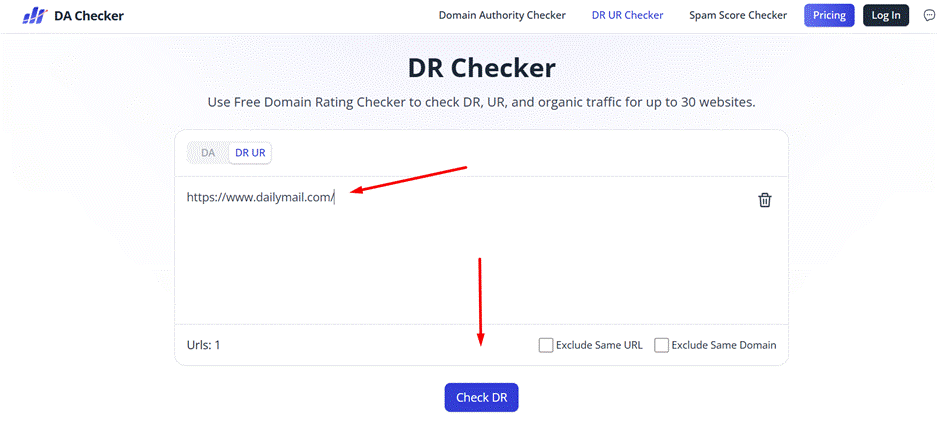
Step 3: Click the "Check DR" button
Now click the "Check DR" button to initiate the process. If you're checking URLs in bulk and not sure if the repetition exists, you can use the "Exclude Same URL" and "Exclude Same Domain" options. It will only take a few seconds to display the result.
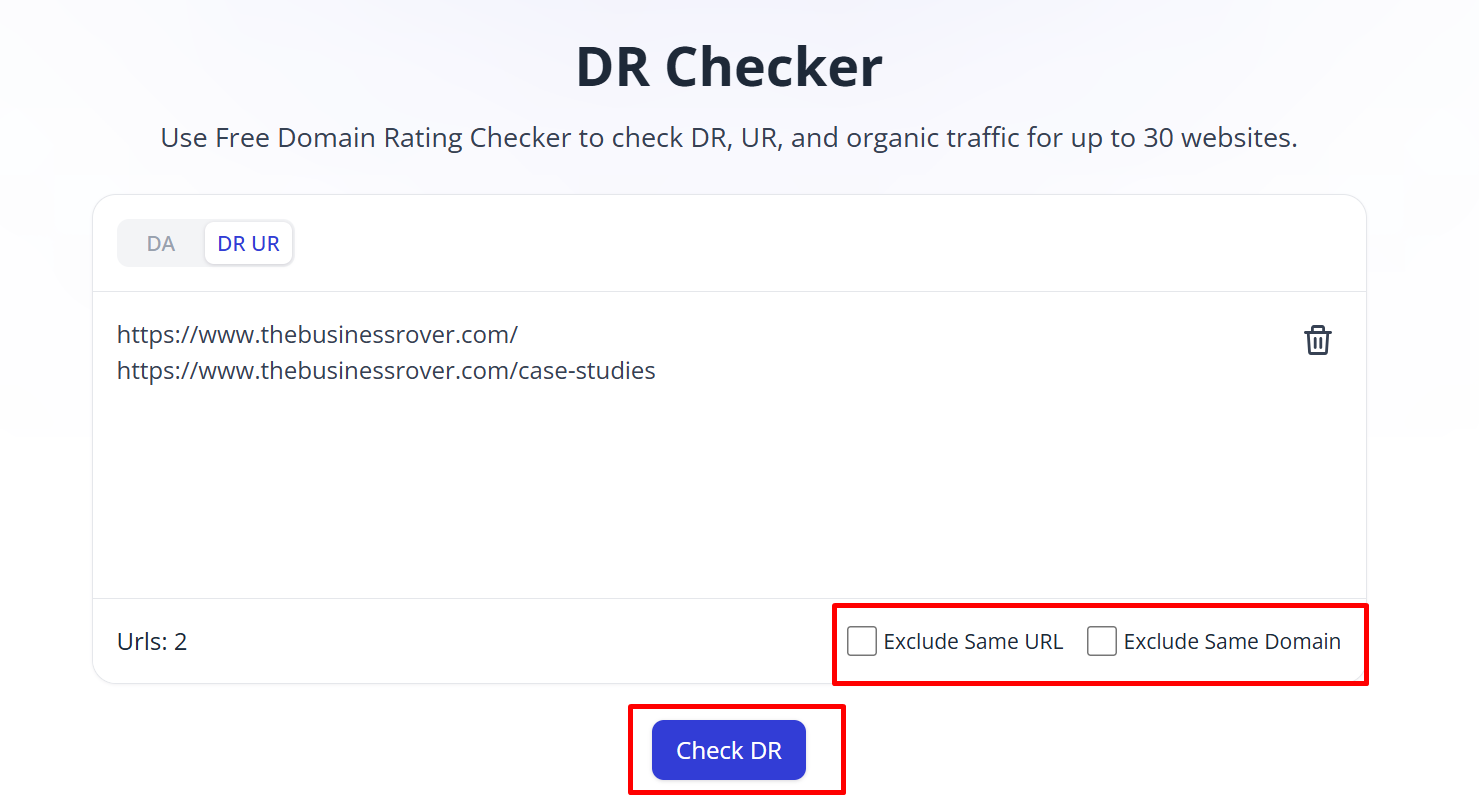
Step 4: Analyze the Result
The moment you click the "Check DR" button, the tool will take a few seconds to provide you with the DR score of the entered URLs, along with other useful metrics such as URL rating and site traffic.
That's how you can check the DR of any website.
How to improve your domain rating
The domain rating doesn't change overnight. It's a long process that requires a consistent effort. Multiple factors play a role in improving or declining a domain rating. Let's elaborate on how to improve domain rating:
Earn high-authority backlinks
Emphasize getting high-quality links from authority domains, especially the ones that have high domain ratings. The most common methods for earning authority backlinks include creating valuable content, conducting digital PR, and building genuine relationships with relevant websites.
Create linkable assets
Publish informative infographics, do original research, create case studies, and build free online tools. These products make great linkable assets, and sites will likely link to such resources without asking for anything in return.
Audit and remove toxic links
Review your backlink profile every few months to make sure that there are no spammy links pointing to your domain. You can consider using Google's disavow tool only when there is a clear need to address harmful artificial links that you cannot remove.
Once you have a combination of multiple growth strategies in place, it can improve your domain rating without much effort.
Ready to improve domain rating?
Domain rating is a third-party SEO metric that measures the relative strength of a site's backlink profile on a scale from 0 to 100. To improve domain rating, focus on earning high-quality backlinks from relevant referring domains. This article explains how you can improve domain rating with ease.