

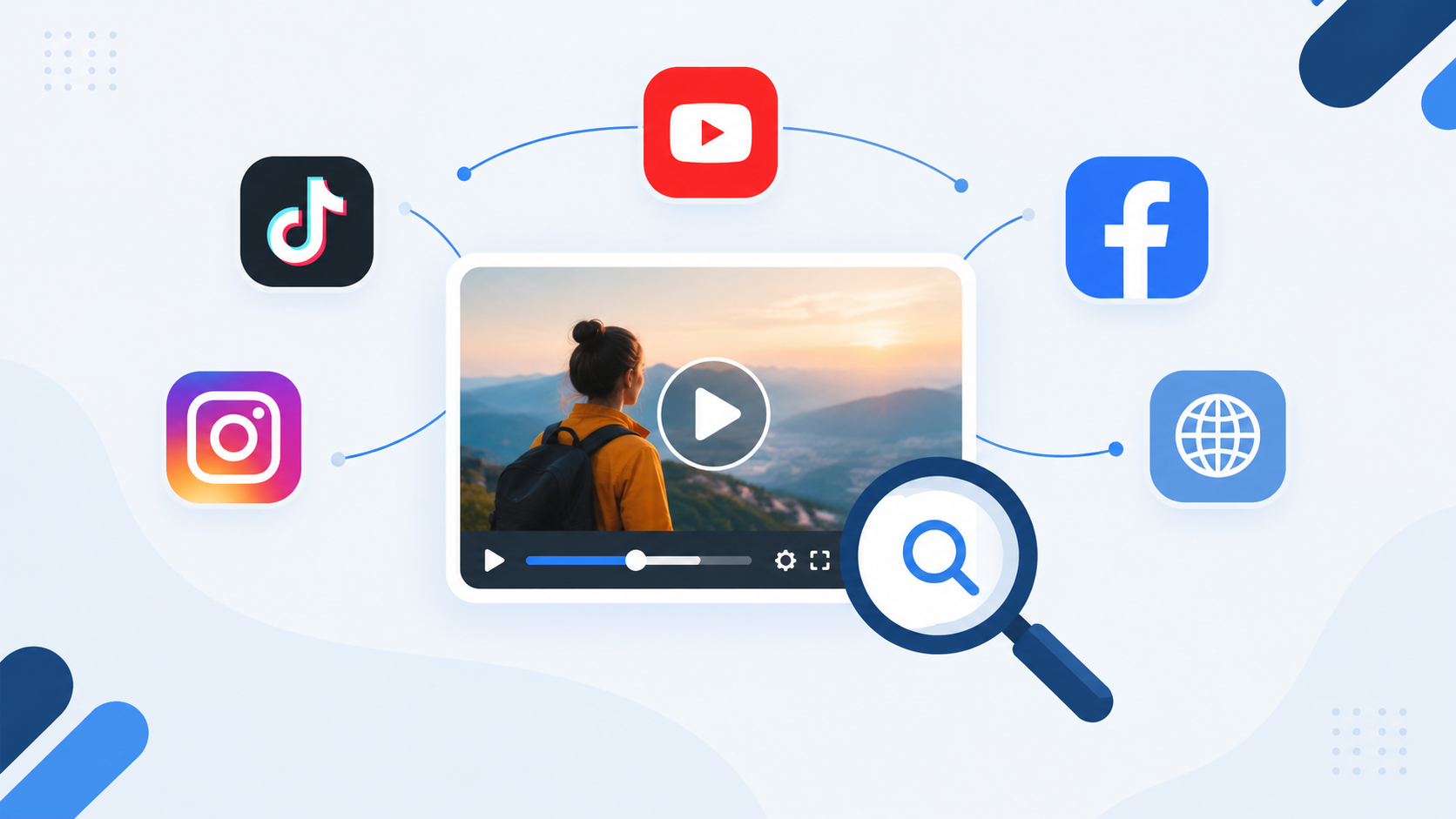
A video, like other content forms, can appear in more places than the platform where it was originally uploaded. The same clip can be found on TikTok, YouTube, Instagram Reels, and Facebook. Even a video from your website can circulate through dozens of other pages.
This makes tracking harder. Especially when the same content appears under different titles or accounts, it'll take a lot of effort for you to find the original upload.
Reverse Video Searchers give creators and marketers a way to work around this. They allow users to go backwards from a video and discover all the points where that content appears online. That's what this article is going to be about.
What Is Video SEO?

Video SEO is the process of making video content easier for search engines and platforms to understand. So, it covers things like:
- Video's title
- Description
- Thumbnail
- Surrounding Webpage
- Metadata
- Overall relevance to a search.
It is an important part of the online world because of its groundbreaking impact. Statistics show that Social video generates 1,200% more shares than text and image content combined. This should give you an idea of why this topic is worth having a discussion about.
A huge role in all of this is played by Google. It shows videos in several areas like search results, Video mode, Google Images, and Discover. Similarly, it also gives priority to webpages with videos on their landing pages. So, such pages are more likely to show up on top in certain search results.
But, Video SEO also extends beyond Google. For example, YouTube has its own search system that uses different algorithms and mechanisms to search and display videos.
So, the point is that there is a vast SEO environment for video. In other words, if you are searching for a video on Google and you find it, the same search or method might not work elsewhere.
Why is Tracking Videos Difficult?
We just talked about an aspect of why trying to find videos across platforms on the internet is not an easy task. However, it is worth going into detail about. Other than the wide SEO environment, just the sheer volume of online video content makes it an impossible content form to track.
Sources reveal that more than 500 hours of new videos are uploaded to YouTube every minute. In such a scenario, you can find one, maybe two, matches to a video at max.
On the flip side, 30% of digital creators have experienced content theft. People take advantage of the fact that videos on the web are abundant. Among this sea of content, detecting content theft has become close to impossible.
So, the best course of action would be to automate your efforts as much as possible. Reverse video searchers can provide you exactly that. So, now that we have clearly defined the problem for you, let's talk about the solution.
What Is Reverse Video Search?
Reverse video search uses the video itself instead of a keyword. So, you upload a clip in such a searcher and it finds matching or related versions across the web.
It can help you:
- Find reposted or copied videos
- Trace a clip back to an earlier source
- Identify versions with changed titles or captions
- Locate videos that have been cropped, edited, or stripped of watermarks
This means that if you have uploaded a video somewhere on the web, you can use these searchers to find where else that video exists. Without the tool, you would have had to manually think of all the platforms and then search for your video on all of them one by one.
It is also important to note that as we just mentioned, reverse video search uses audio and visual cues to search for content. Therefore, it is a much more accurate search than using, for example, metadata cues.
How to Discover Your Content Across Platforms
Now, let's talk about the main purpose of this article. You understand what the importance of video seo is and how reverse video search goes hand-in-hand with that. But how exactly do you use reverse video search?
For starters, the process starts with the video you want to investigate. After that, you need to find a relevant tool. Once you have that, here are the general steps you need to follow.
1. Choose a Reverse Video Search Tool
Start by choosing a reverse video search tool based on the type of video you want to investigate and the depth of results you need. Some tools focus mainly on keyframes, while others use visual and contextual signals to find related or reused content.
One option is Revideo.io, which lets you search for matching and related videos across the web. This can be useful when you want to look beyond a single platform and see where the same content may have appeared elsewhere.
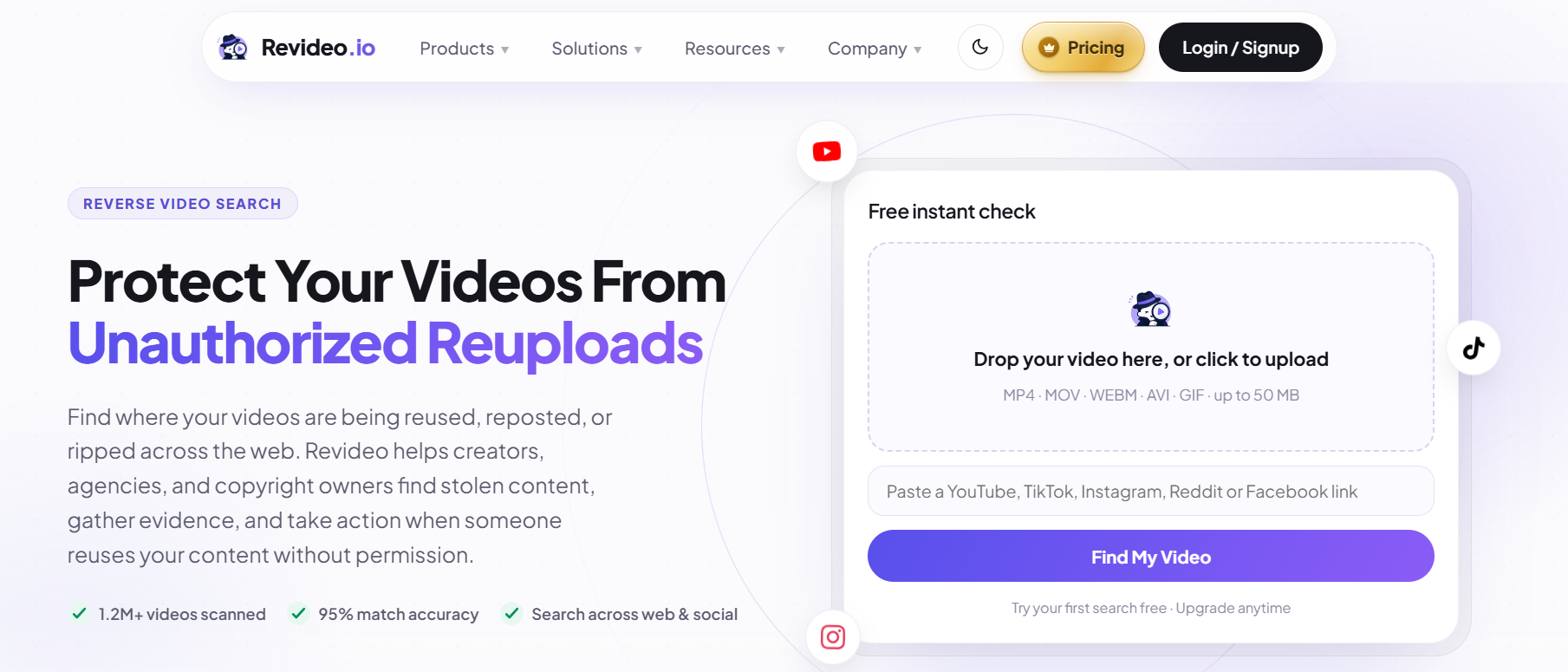
These tools usually accept common video formats such as MP4, MOV, WEBM, and AVI. Some may also have upload limits for free users, such as a maximum file size of 50 MB.
You may also be able to search by pasting a video link from platforms such as YouTube, TikTok, Instagram, Reddit, or Facebook.
2. Upload the Video or Paste a Link
Naturally, the next step would be to upload the video into any relevant searcher. So, in this step, upload the video using any of the available methods in the tool.
It is also important to mention that these tools don't just find exact matches. So, if you have a short clip of a longer video, you should be able to find the full video using just the clip.
3. Review the Matches
Once the video is uploaded, click the action button and wait for the tool to fetch results. It will search across the web and any matches that are found will be displayed.
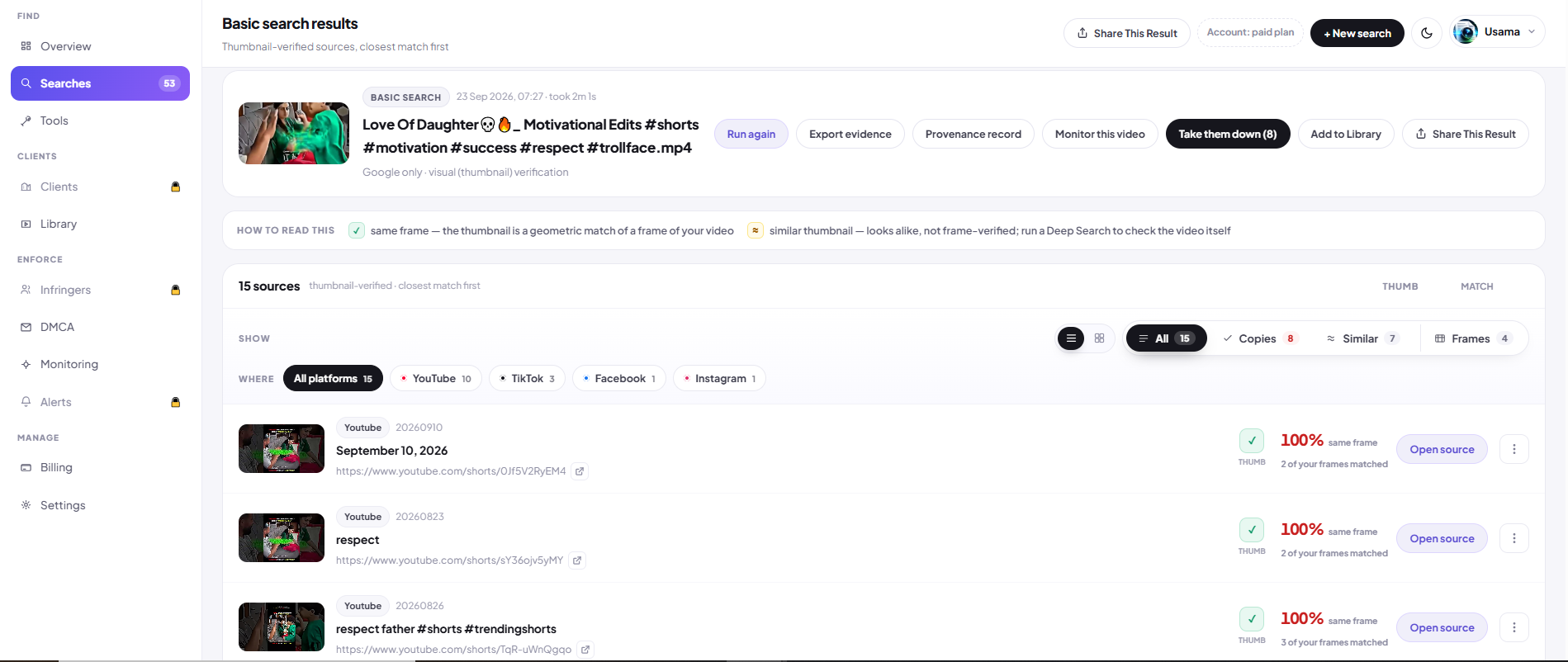
It may also provide other information about the matches such as:
- The accounts that uploaded it
- The platforms where the video was found
- Upload dates
- Thumbnails
These results can be used to identify reused content, compare different uploads, and track the origins of videos.
Choosing the Right Tool
Not all reverse video search tools work the same way. Some are tuned for short-form content (TikTok or Reels), while others suit longer videos (YouTube).
Similarly, coverage of platforms is also different in tools. One tool might scan YouTube, TikTok, and Instagram but skip Reddit and Facebook.
So, it's important that you test tools against the type of videos you plan on dealing with. This way, you can avoid issues in the future and have a smooth experience in the long run.
Other Use Cases of Reverse Video Search
By this point, you know a little bit about how and when to use video search tools. However, here is a list making things even clearer for you:
- Verify whether content has appeared online before or is user-generated.
- Investigate misleading edits with removed or rearranged sections of the original video.
- When using stock footage, you can see whether the same clips have been used by your competitors.
- Similarly, journalists can locate earlier uploads, regional versions, or related footage before using a video in a report.
- Brands can see whether sponsored footage has been reused.
These uses make reverse video search valuable for more than just content creators. And don't get confused, these are not niche use cases. For example, surveys from as long ago as 2019 have shown us that more than 50% of journalists say they regularly use digital tools to fact-check information.
That kind of due diligence is exactly what reverse video search tools are designed to make faster.
Frequently asked questions
What is video SEO and why is it important?
Video SEO is the process of optimizing video content so that search engines and platforms can better understand and surface it. It includes elements such as titles, descriptions, thumbnails, metadata, and the webpage surrounding the video.
How can I find my video across different platforms?
You can use a reverse video search tool to investigate where the same or related video appears across the web. Instead of searching manually on each platform, you upload the video or provide a supported video link and review the resulting matches.
How does reverse video search work?
Reverse video search uses the video itself rather than a text keyword. The tool analyzes visual and audio cues to find matching or related versions of the video across the web.
How do I find the original source of a video?
Upload the video or a relevant clip to a reverse video search tool and review the matches. Comparing upload dates, accounts, platforms, and other available information can help you trace a video back to an earlier source.
Can reverse video search find edited or cropped videos?
It can help identify related versions of a video even when the content has been cropped, edited, or had its watermark removed. However, results can vary depending on the tool's coverage and search technology.
Can I search for a video using a video clip?
Yes. Some reverse video search tools can use a short clip to locate related versions or even the longer video from which the clip was taken.
How can I find where a video has been reposted online?
Upload the original video to a reverse video search tool and review the matches. This can reveal other accounts and platforms where the same or related content appears.
Conclusion
Video SEO is no longer limited to optimizing titles and descriptions. It also involves understanding how content moves across the web. That's why reverse video search is becoming crucial.
These tools make it possible to search by the video in an automated and highly accurate manner. So, it doesn't just take away the labor, it also enhances the process. And when combined with analytics, it gives you a clear view of your content's visibility across the web.